Have you ever felt that paying $60 or $70 for a game released years ago is a bit excessive? Nintendo games are notorious for retaining their value and rarely see the deep discounts found on platforms like Steam or PlayStation.
However, there is a backdoor that savvy gamers can use to save money, change Nintendo eShop region. Why? Because the price of a game in the US eShop might be completely different from its price in the Japanese, European, or Brazilian eShops.
In this guide, we will explain how to exploit these currency differences to buy your favorite games—sometimes at half price—and how to solve the one major problem you will face: payment.
Is Changing Your Nintendo Switch Region Allowed and Safe?
Yes. The Nintendo Switch is a Region Free device. Nintendo explicitly allows you to change your account’s country via their official website whenever you like.
As long as you do not have a remaining balance in your current account, your device will not be banned, and you will not lose your old games.
Why Do Gamers Change Their Nintendo eShop?
The reason is purely financial. For example:
- A game might cost $20 in the US eShop.
- The exact same game might cost the equivalent of $5 in another country’s eShop (like Argentina previously, or currently Japan and Brazil) due to exchange rate differences.
Once you buy the game from any eShop, it becomes yours forever. You can play it on your original account and in English (provided the game supports the language).
The Difference Between Console Region and Account Region
Many players fall into a common trap: they go to the Switch settings, change the region, enter the eShop, and find it is still in the old currency. Why does this happen?
You must distinguish between two completely different settings:
1. The Console Region:
- Location: Inside the Nintendo Switch device settings (System > Region).
- Function: Controls only how time, date, and legal agreements (EULA) are displayed.
- Effect on eShop: Zero! Changing this setting will not change the eShop currency and will not unlock US or Japanese deals.
2. The Account Region:
- Location: On the official Nintendo website via a browser only.
- Function: This is the “digital citizenship” of your account.
- Effect on eShop: This is the sole factor determining which eShop appears for you. If the account is set to “USA” on the website, the US eShop will open in Dollars, regardless of the settings inside your device.
Don’t waste your time in the device settings; the eShop always follows the Account.
Best Countries to Buy Nintendo Games at the Cheapest Prices
This table shows you the expected price differences based on current player experiences:
Steps to Change Nintendo Region
You cannot change the country from inside the Switch device itself; you must do it via a browser:
- Go to accounts.nintendo.com and log in.
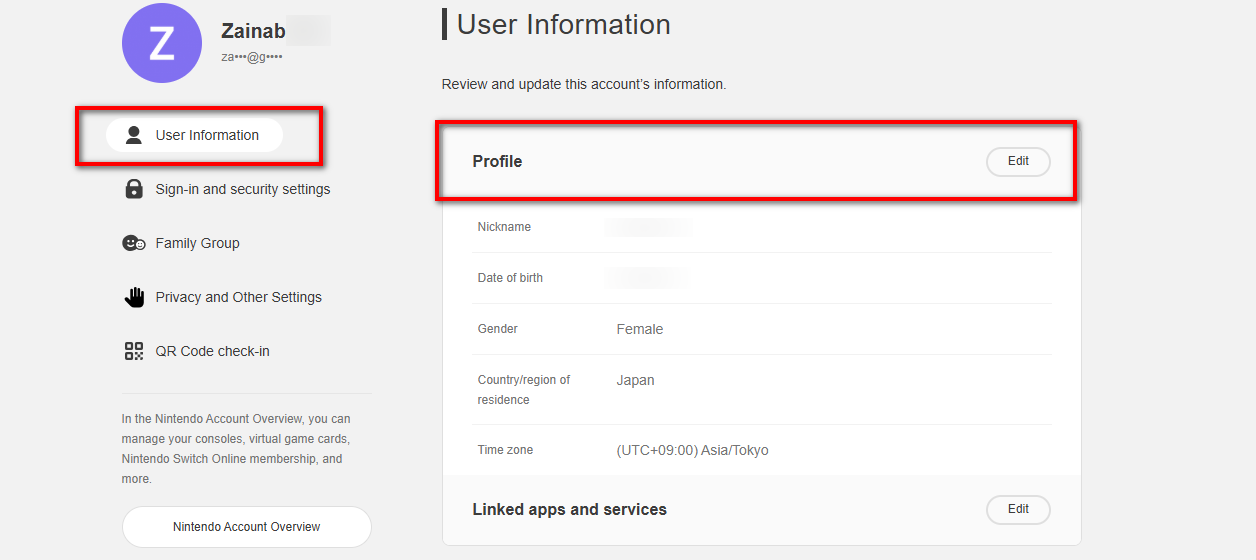
- Click on User Info, then Profile.
- Click on Edit.
- In the Country/Region of Residence section, select the country you want to move to (e.g., Japan, or the US selecting a tax-free state).
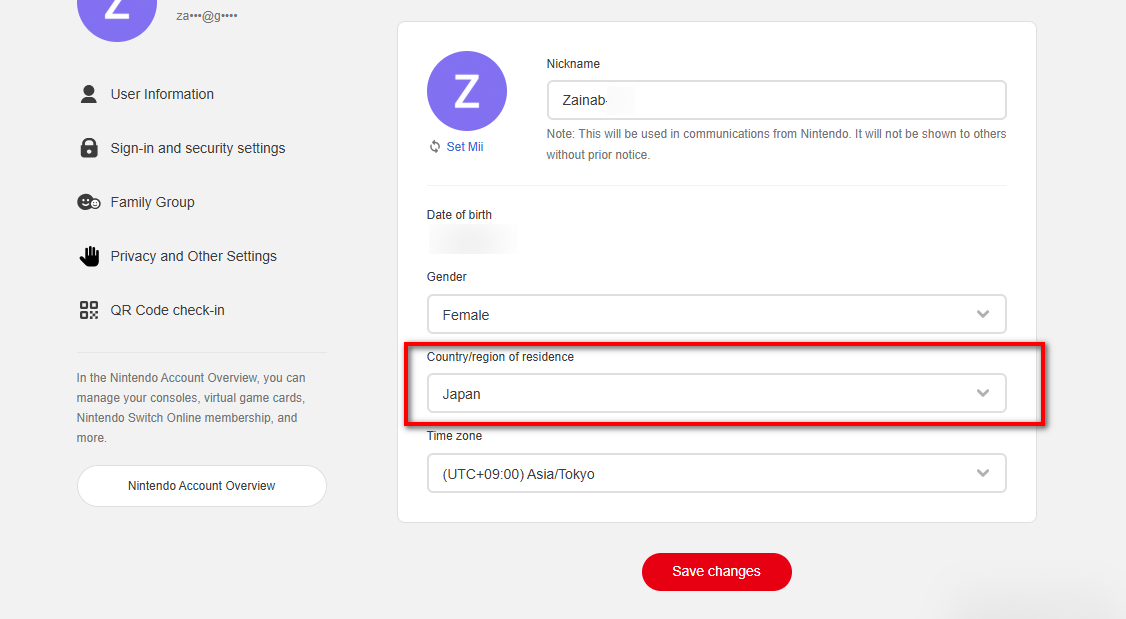
- Read the terms and click Save Changes.
- Now, go back to your Switch and try opening the eShop; it will ask you to log in again.
- Once you enter, you will find the eShop has switched to the new country and the currency has changed.
How to Get a Gift Card to Buy from the Nintendo eShop?
Let’s say you found a game in the US eShop at a great price, or you want an exclusive game from the JP eShop. Here is the plan:
- Change your account country to the desired region (as explained in the steps).
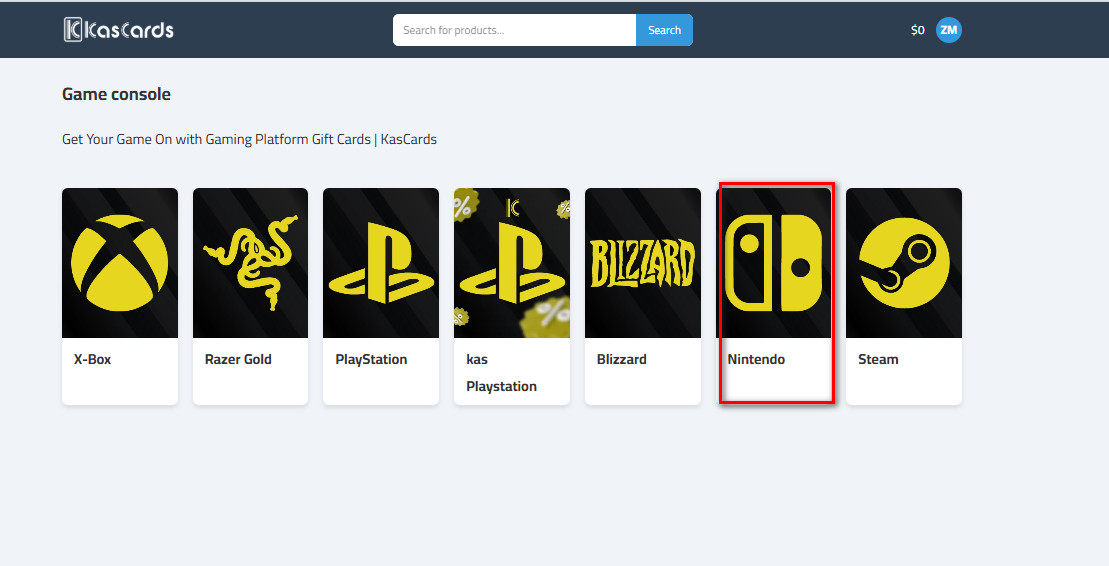
- Go to Kascards.com and navigate to the Gaming console section.
- Select Nintendo.
- Select the Country and the Card Value that fits your needs.
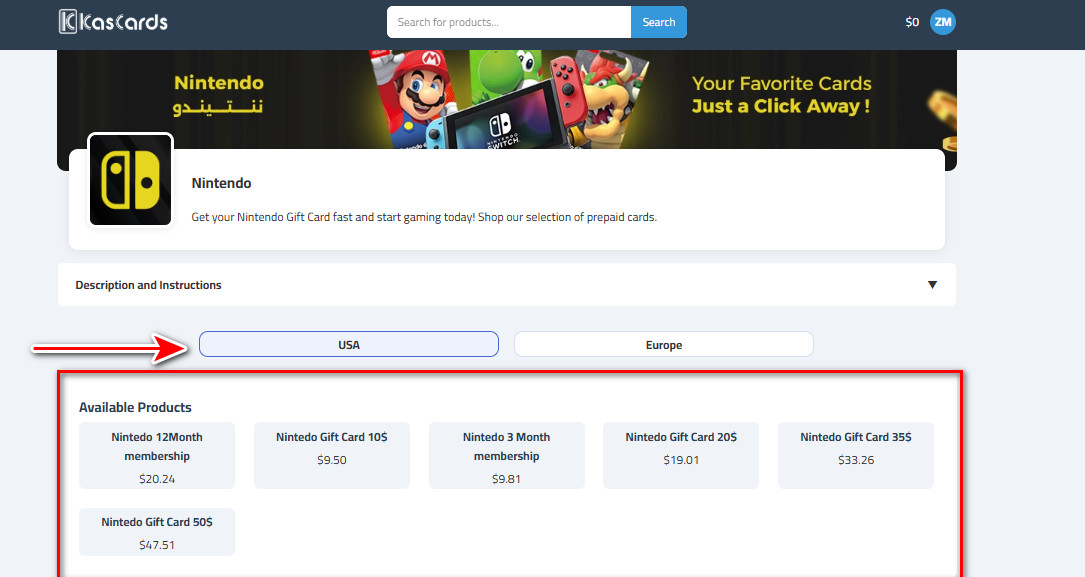
- Use your digital currency (USDT) to pay and receive the card instantly and securely.
For more details on the purchasing process, read our detailed guide on How to buy Nintendo cards easily via Kascards.
Additional Tips for Bigger Savings and Avoiding Issues
To get the most out of the changing eShop without risking your device or account, follow these rules:
- Track Prices: Use specialised sites and apps like Deku Deals or Nintendo Life. These tools give you instant alerts when a specific game drops in price in a specific region and show you price history so you know if the deal is real.
- Update Your System: Ensure your Switch system is updated to the latest version to ensure new eShop load smoothly.
- Don’t Overdo It: Although Nintendo is flexible, avoid changing your region excessively frequently to avoid restrictions.
- The Alt Account Strategy: Instead of changing your main account’s country every week and facing the “clearing remaining balance” issue, create a brand new Nintendo account dedicated to another country (e.g., keep your original account as US, and create a second account for Japan).
- Use Kascards: Use Nintendo gift cards from Kascards to avoid rejection issues common with local bank cards.
Important Warnings Before Changing Nintendo Region
To avoid any technical issues, pay attention to these three points:
- Remaining Balance: If you have credit in your wallet (even a few cents), the website will not allow you to change the country. You must clear your account completely or contact Nintendo support to wipe it for you. (Using gift cards solves this problem because you buy exactly the amount you need).
- Gold Points: Your Gold Points do not transfer with you. If you have points in the European eShop and move to the US, your points will remain in Europe waiting for your return, but they will not disappear.
- Pre-orders: If you have pre-ordered a game, you will not be able to change the country until the game is released or you cancel the pre-order.
In the end
Changing Nintendo region is a ticket to worlds of games you wouldn’t have tried at full price. Whether you want the US eShop for its vast library, or the Japanese eShop for its rare gems.
Choose your destination, head to Kascards to get your card, and start playing smartly and economically.